Install and support

Take the shortest path to a controlled first run

This page contains no sales form and no demo gate. Use the installation command, verify the runtime prerequisites, and keep the setup checklist nearby as you configure your first prospecting task.

Before you run

Confirm that Node.js and npm are available in the intended agent environment. Read the exact package name, understand which terminal session will execute it, and avoid running with broader operating-system privileges than required.

Support channel: installer and runtime documentation

Response model: self-serve diagnostic steps
Credential checklist

Use a runtime secret store for provider keys. Start with minimum read scopes, separate development and production credentials, and record who owns rotation and revocation. Never paste secrets into a prompt, blog comment, export, or shared screenshot.

Data boundary: configured environment

Review owner: your GTM or security operator

First-result checklist

Choose a small, non-sensitive ICP request. Inspect company fit, contact role, verification status, timestamps, source links, and inferences. Reject questionable records and keep downstream outreach disabled until a person approves the final audience and message.

Suggested scope: one segment, one region

Success signal: an inspectable result, not volume

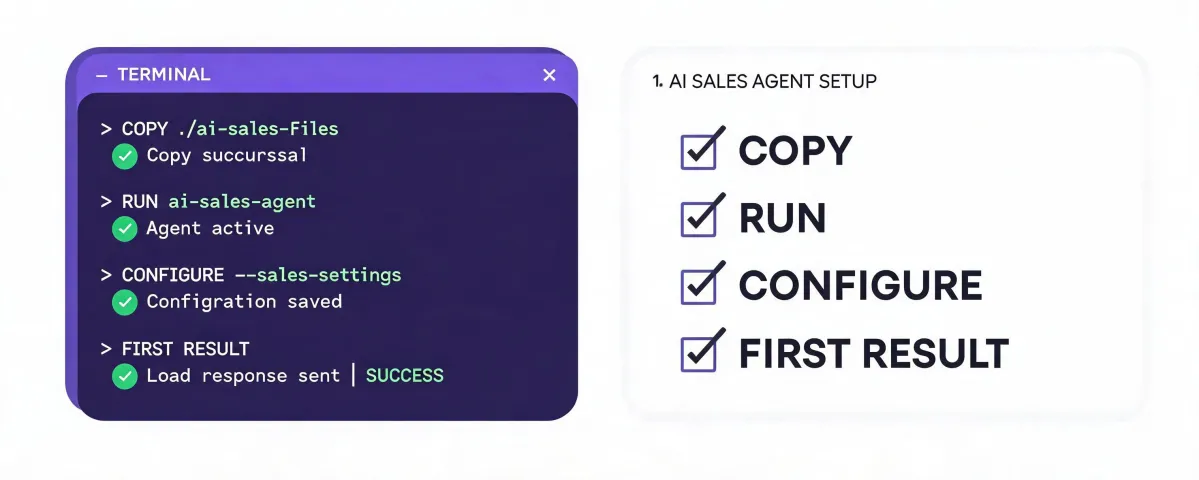
Terminal installation and first-result checklist

Copy the installer when your environment is ready

Copying places only the command on your clipboard. Paste it into the intended terminal, review it once more, run it, configure approved connections, and inspect the first result before expanding access.

npx -y @okki-global/okki-go-taroball
Copy: clipboard onlyRun: installer startsConfigure: permissions addedFirst result: human reviewed